

Squarespace to Wix Studio: the complete migration guide

Squarespace exports one WordPress-format XML file, and its own documentation lists more things left out than taken. Here's what really moves, which URLs change, and what it costs to do it without dropping rankings.

  • Every URL mapped before cutover
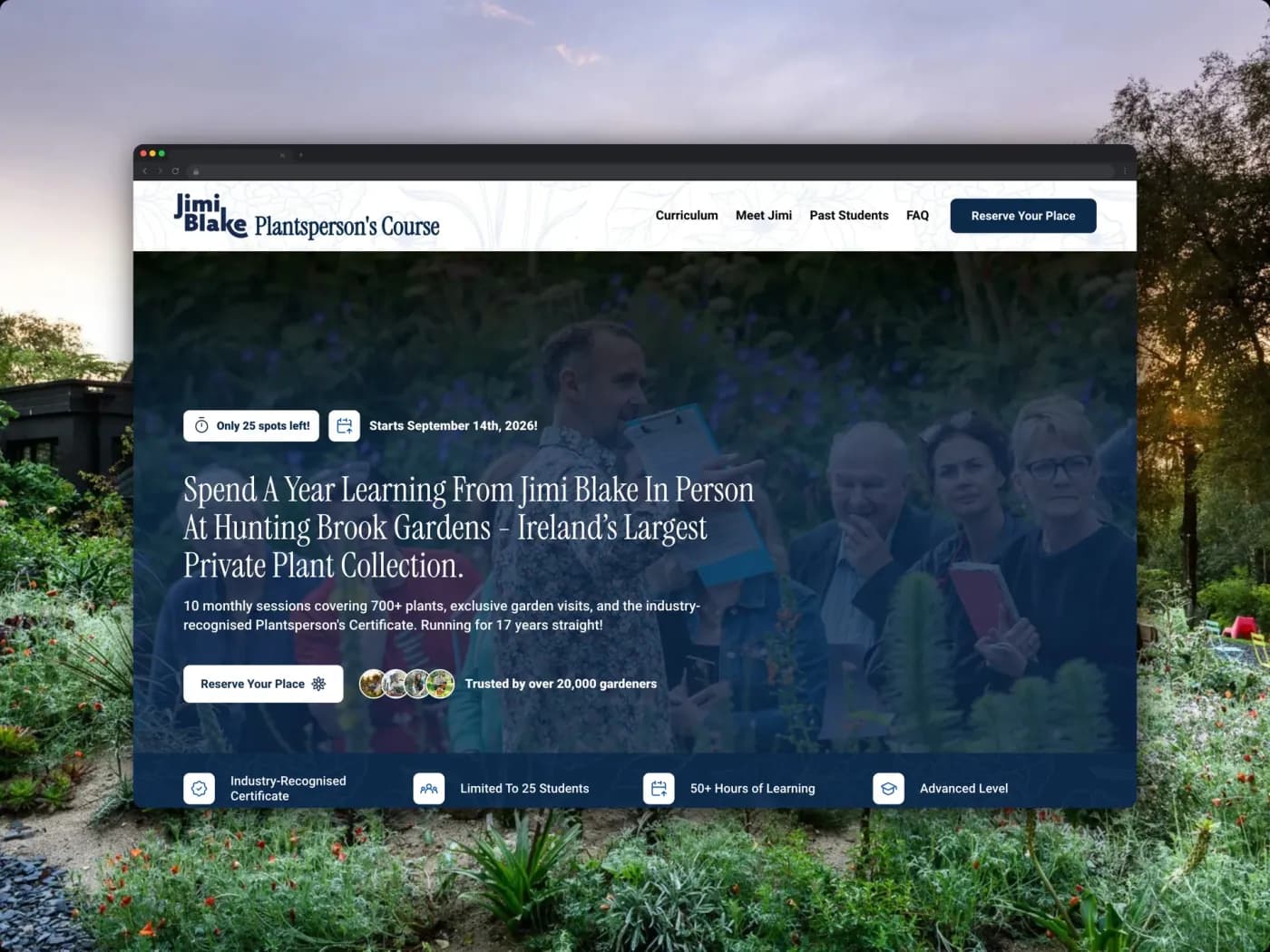
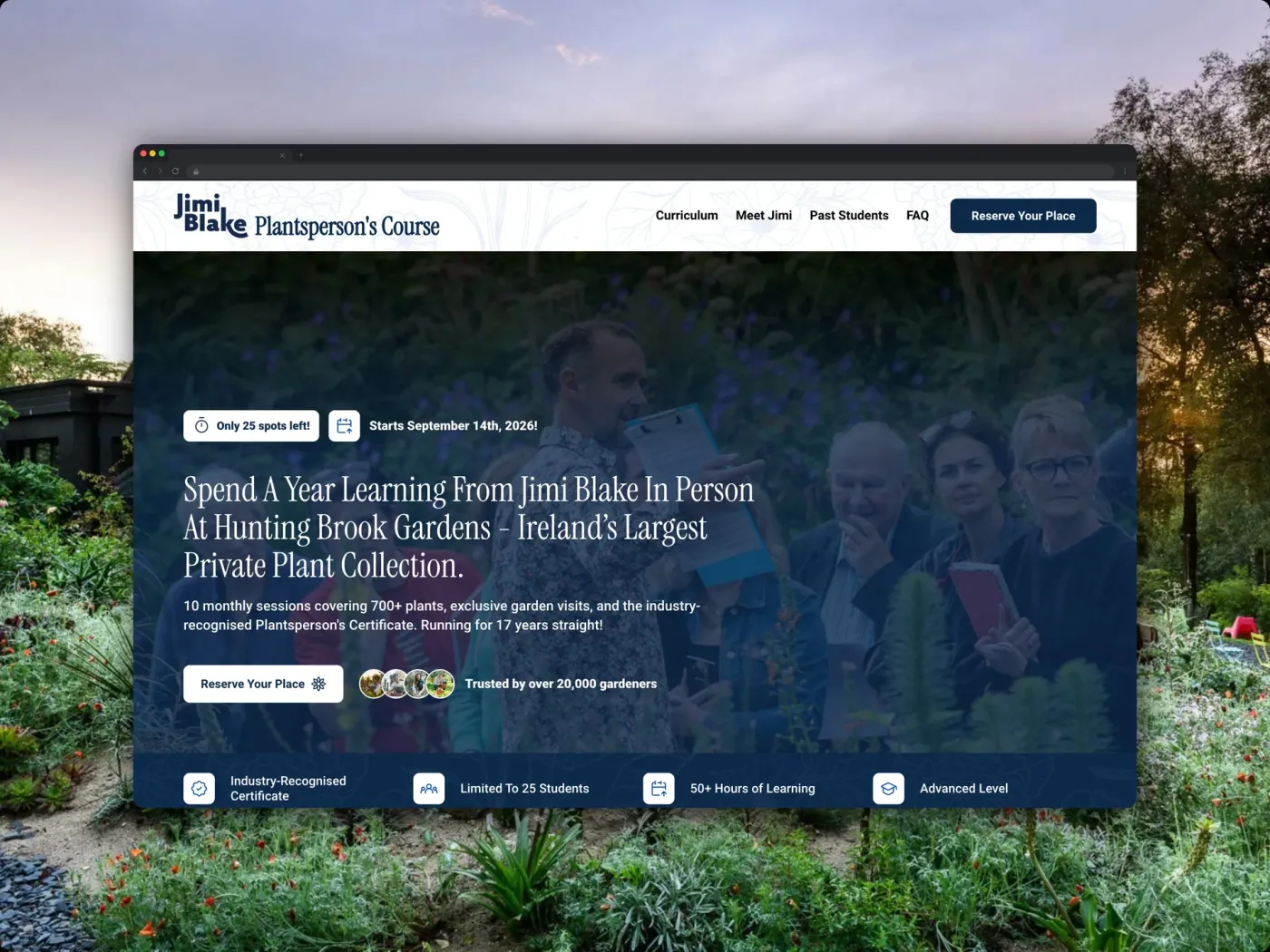
  • €140k in course sales for Hunting Brook
  • 70+ page migrations delivered

Squarespace to Wix Studio at a glance

The short answers, before the detail. Every one of these is expanded further down the page.

Can the design be converted?
No. Squarespace exports content, never styling, and its own docs confirm style settings and custom CSS are excluded.
What the export actually contains
Layout pages, one blog page with its posts, text and image blocks, and gallery pages on 7.0. That is the full list.
What happens to your URLs
Standard pages keep their paths. Blog posts depend on the build: Wix's Blog app forces a /post/ prefix, a CMS-built blog keeps your existing paths.
What it costs
From €1,750, quoted as a fixed price once the page and product count is known.
How long it takes
Two to five weeks, plus 30 days of index monitoring after launch.
DIY difficulty
High. The export looks complete and isn't, so the risk is in what you never notice was missing.

What you get on Wix Studio

Squarespace sites rarely fail. They stop being able to become the next thing. These are the ceilings Studio removes, in the order Squarespace users tend to hit them.

Layouts that aren't the template's

Squarespace's design system is generous until the moment you need something it didn't anticipate. Studio's grid and breakpoints let you build the layout the brief actually calls for rather than the nearest available approximation.

A real CMS underneath the content

Squarespace collections are tied to page types with fixed shapes. Studio's CMS lets you define your own fields and relationships, so a directory, a resource library and a product catalogue can each be the thing they are.

More than one blog

Squarespace allows several blog pages but exports only one, and that constraint reflects how it treats them. In Studio, news, resources and case studies are separate collections with their own templates and their own URLs.

Multilingual without a workaround

Running a second language on Squarespace means duplicating pages or paying for a third-party layer. Studio handles translation natively, which is why a 70+ page site across two languages is a normal project rather than an exception.

Design once, apply everywhere

Global text themes, colour and spacing mean a brand change is one edit. Squarespace's style editor gets you part of the way, then per-page custom CSS starts accumulating and nobody remembers what it targets.

Roles for the people who edit

Studio supports multiple editors with real permissions, so a marketing team can publish without the account password being shared around or a designer becoming the bottleneck.

Why hand this one over

The parts that cost people money here aren't the rebuild. They're the pages Squarespace never put in the export file, the second blog nobody remembered, and the post URLs mapped to one landing page instead of one by one, so we crawl the live site before anything is exported.

Hunting Brook Gardens website
€140k
Course sales since the collaboration began
7+
Landing pages built so far
Hunting Brook GardensCourses & education

From a bare-bones site to €140k in course sales

Landing pages and course infrastructure for an award-winning gardener

Zenith redefined what hard work means to me. They treat every website project with pride, enthusiasm and extreme passion.
Flynn BlackieFlynn BlackieDirector - MOD Digital

When leaving Squarespace is worth it

Squarespace sites don't usually break. They stop being able to become the next thing, which is a slower and much easier problem to ignore.

Worth moving
Every design change now needs custom CSS
Pages that repeat, built one at a time
A second language on the roadmap
A template quietly deciding how the site looks
Writers waiting on a designer to publish
A blog that has outgrown its template
Stay where you are
A portfolio site that looks good and ranks
A catalogue built mostly on digital products
A launch deadline inside the next fortnight
A complaint about the editor, not the ceiling
No plans that need a CMS behind them

If adding custom code has come up more than twice this year, you've found the ceiling. If it hasn't, Squarespace is probably still the right tool and we'll say so.

What Squarespace's export gives you

Squarespace offers one export format: a .xml file structured for WordPress. Its documentation is refreshingly direct about the limits, and most of what follows comes straight from it.

Carries over
Standard layout pages
Layout pages come through the XML with their text and image blocks intact. Other block types export with what Squarespace calls minimum structure, meaning the text survives and the arrangement doesn't, so pages get re-laid rather than re-typed.
Carries over
Standard page URLs
Ordinary pages keep their slugs. A page at /about stays at /about, so the redirect work concentrates on blog posts, products, and anything that lived under a page type Wix structures differently.
Carries over
Domain and email
A domain registered with Squarespace transfers out, or stays where it is and just repoints, which is faster and what we usually do. Google Workspace bought through Squarespace is a separate billing relationship to move, and it's worth handling before launch week rather than during it.
Rebuilt
Blog posts
Only one blog page exports. If you run more than one, Squarespace makes you pick a primary and the others are on you. The chosen blog brings its posts and up to 1,000 comments per post; drafts don't come at all.
Rebuilt
Images and media files
Squarespace states you can't export images in bulk and can't export uploaded video at all, so media comes down one at a time or by crawl and gets re-uploaded, with alt text re-applied on the way through.
Rebuilt
Store pages and products
Store pages aren't in the XML and product blocks don't export with it. Products come out through a separate CSV covering physical and service products, and that CSV leaves out additional product info, customer reviews, featured images, product image alt text, and variant images. Digital products aren't covered by that CSV and their export path isn't documented, so check yours in the account before you plan around it.
Rebuilt
Form submissions
In our experience each form block exports its own submissions separately rather than as one dataset for the site, so budget a file per form and pull any uploaded files before the plan lapses.
Rebuilt
SEO titles, descriptions, and redirects
Per-page SEO fields don't ride along in the XML and get re-entered on the new site, then diffed against the old ones before cutover. Any URL mappings you've already built up in Squarespace are worth exporting first: they're a ready-made list of addresses people still reach the site through.
Rebuilt
Blog post URLs
It depends on how the blog gets built: Wix's Blog app forces a /post/ prefix that can't be removed, so every post changes and needs a mapped redirect, while a blog built on the Wix CMS lets you set the prefix yourself and keep your existing /blog-name/post-name paths intact.
Doesn't move
Index, portfolio, gallery, album, and cover pages
Squarespace lists all of these as not included in the export, along with info pages and calendar pages. In practice this is where a design-led Squarespace site keeps most of its personality, so it's the bulk of what gets rebuilt. Gallery pages are the one partial exception: on 7.0 they export, including York project pages.
Rebuilt
Customer list
Squarespace exports customers to CSV with names, emails, order totals, addresses and tags, so the list comes with you even though the accounts don't.
Doesn't move
Order history and customer logins
Squarespace documents order export as a way to analyse sales outside Squarespace with no import path, and saved logins stay behind, so the new store starts clean.
Doesn't move
Member areas and paywalled content
Member areas aren't part of the export, and Wix doesn't accept imported member lists in any case. Anyone with a login signs up again on the new site. If your business runs on gated content, this is the constraint that sets the launch date.
Doesn't move
Uploaded video
Squarespace documents no export path for uploaded video, so anything hosted natively is re-sourced from your originals or re-recorded.
Doesn't move
Custom CSS and style settings
Squarespace names both explicitly as excluded, which sounds worse than it is. Custom CSS on a Squarespace site is usually there to push a template past what it was built to do. In Studio that behaviour is native, so the CSS isn't ported, it stops being necessary.

Read the pattern rather than the rows: the XML carries structured text, everything visual gets rebuilt, and anything tied to a person stays behind. Already part-way through one of these yourself? You don't have to restart. Send us the Squarespace site and whatever you've built in Studio and we'll tell you what's missing from the export and finish it.

How a Squarespace migration runs

Seven stages, three to five weeks of active work. Your Squarespace site stays live and taking bookings until the day the domain moves.

Step 01

Crawl before you export

1 to 2 days

The XML tells you what Squarespace is willing to hand over. The crawl tells you what you actually have. The gap between the two is the project.

What the crawl captures:

  • Every live URL with its search data: Impressions, clicks, average position and inbound links over the last twelve months, so the redirect map can be prioritised rather than worked through alphabetically.

  • The pages the export will drop: Index, portfolio, album and cover pages are excluded from the XML, and on a design-led Squarespace site those are usually the pages people link to.

  • Current per-page metadata: Titles, descriptions and social images, none of which travel in the export, captured now so there's something to diff against before cutover.

Step 02

Pull everything the XML doesn't cover

2 to 3 days

A Squarespace migration is four or five exports, not one. Each lives in a different part of the admin and each has its own gaps.

The full set:

  • The XML, for pages and one blog: Only a single blog page exports. Sites running a news feed and a separate resources feed lose the second one unless it's captured by crawl first.

  • A products CSV, if there's a store: Physical and service products only. Digital products have no export at all and get rebuilt by hand.

  • One submissions CSV per form block: Exported from each block's Storage tab, so six forms means six files. Uploaded files aren't included, though the CSV carries direct links to download them.

  • Your existing URL mappings: Squarespace's own redirect layer is where past site changes were papered over, and those addresses die the day the plan lapses.

Step 03

Design the structure Squarespace couldn't hold

3 to 5 days

The stage that makes the move worth paying for. The ceiling you're leaving is structural, so the fix has to be structural too.

What gets modelled:

  • Repeating content becomes collections: Courses, locations, team members, properties: define the pattern once and publishing the twentieth item costs what the second did.

  • Index and portfolio pages come back as layouts: The page types the export drops are exactly the ones worth rebuilding as collection-driven pages rather than hand-placed galleries.

  • Global styles get set before anything is built: The custom CSS holding your template together stops being necessary, because the control it was faking is native here.

Step 04

Build in Studio

1 to 3 weeks

The new site goes up on a staging URL while Squarespace keeps serving your domain. No maintenance page, no gap in enquiries or sales.

What changes in the build:

  • Breakpoints you control: Responsive behaviour set per breakpoint rather than inherited from a template's assumptions about your content.

  • Layouts that don't need code injection: The things you were adding custom CSS for are editor features here, which is the practical difference between the two platforms.

  • A working site you review on your own phone: Sign-off happens against the real thing on a real device, not a slide of screenshots.

Step 05

Move the content, media and metadata

3 to 5 days

Text into the new layouts, images re-uploaded, products imported. Products need the most attention, because the CSV arrives with holes in it.

The parts that need hand-work:

  • Images re-uploaded and re-described: The XML references media by its Squarespace URL rather than bundling files, so everything is pulled down and re-uploaded, with alt text applied as it goes.

  • Product fields the CSV omits: Featured images, variant images, product image alt text, additional information and customer reviews all get re-attached by hand.

  • SEO fields entered and diffed: Every title, description and social image re-entered, then checked line by line against the inventory from stage one.

Step 06

Map the redirects, then cut over

2 days

The map is written and tested before the domain moves, never after. How long it runs was decided at the build stage, when the blog was either put on Wix's Blog app or modelled in the CMS.

How cutover runs:

  • One row per post, mapped by hand: Where post paths do change, Squarespace nests them under the blog page slug and the Blog app puts them under /post/, so no pattern rule does this correctly.

  • Imported in batches and tested: Wix's URL Redirect Manager takes up to 500 rows per CSV, and each batch is checked against the inventory before anything is repointed.

  • The domain moves last: Sitemap resubmitted, Search Console and analytics reconnected, forms and checkout submitted end to end the same afternoon.

Step 07

Watch the index for 30 days

30 days

Coverage and impressions daily for the first fortnight, then weekly. Blog URLs get watched hardest, because they're the ones that changed.

What gets fixed inside the window:

  • Anything returning a 404: Usually a post URL whose slug differed from what the export implied, which is why the crawl matters more than the file.

  • Pages dropping out of coverage: Caught and resubmitted while we're still on the project, at no extra cost, against a price fixed before the work began.

  • Positions sliding on mapped URLs: A redirect that resolves isn't proof the mapping was right. Position data over four weeks is.

100+
Projects shipped
5.96x
Average ROAS
€1M+
Client revenue generated

10+ brands shipped as MOD Digital's build partner

Zenith redefined what hard work means to me. They treat every website project with pride, enthusiasm and extreme passion.
Flynn BlackieFlynn BlackieDirector - MOD Digital
Rated on Trustpilot

Knode AI
MOD Digital

Capacity
Techtonnik
Genroks AI
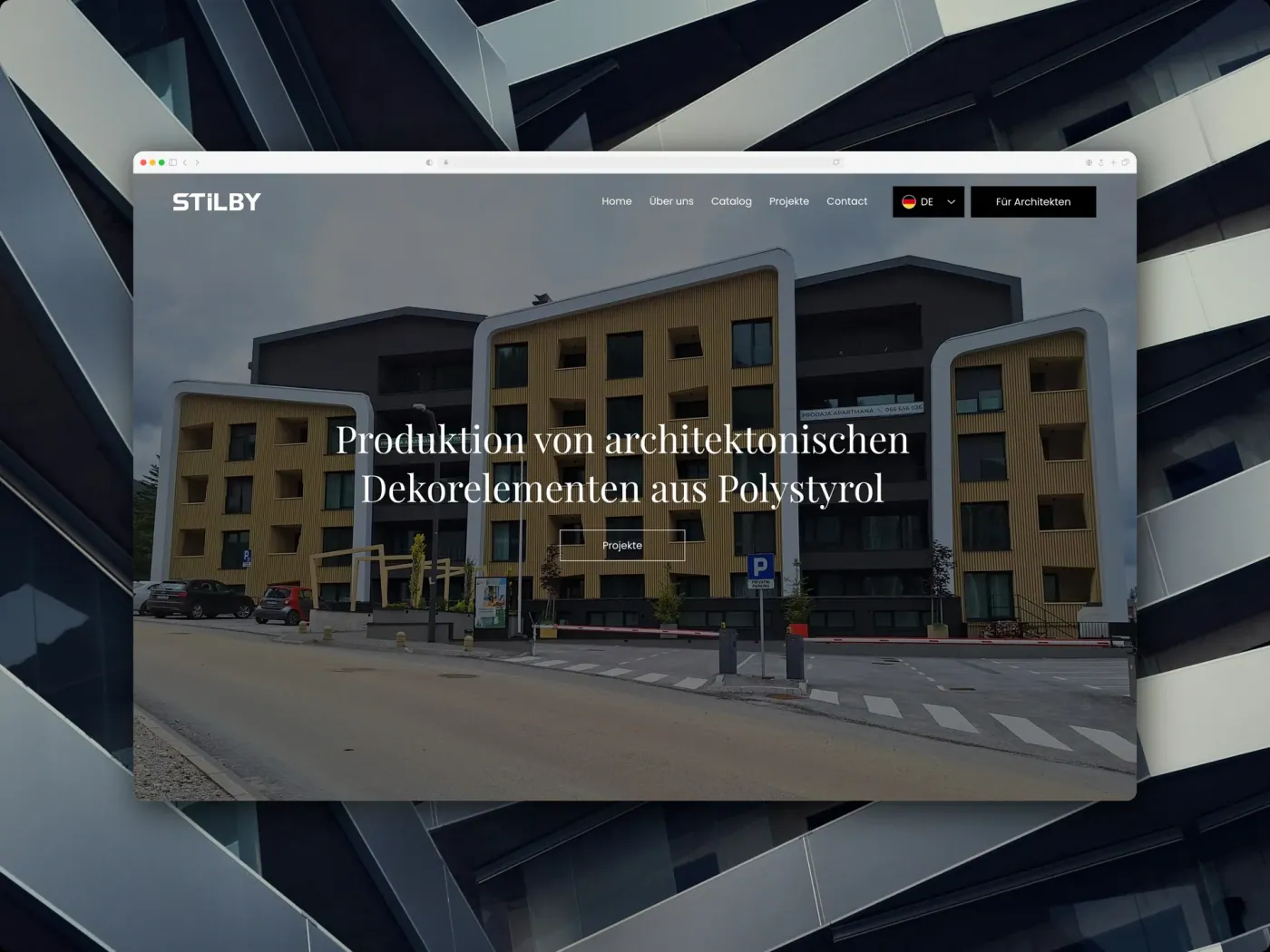
Stilby
FoxStays
Jim Steele
AdVantage
Fox Energy
NOTYOU
Kema Coatings
Empyrean Global
LMF HR
BoomBoom Creatives
Just Stay
Creatify Collective

Want to know what your Squarespace export would miss?

Send us the URL. We'll crawl the site, count the URLs in play, and show you which pages the XML leaves behind before you commit to anything.

Transparent, fixed pricing

Fixed scope, fixed price, fixed timeline. No retainers, no licensing traps, no surprise invoices.

Book a call

The Minimum

A clean, credible build for businesses that need to launch fast.

From €1,750

one-time · 2-week delivery

Book a call

Core functionality

  • Up to 5 pages
  • Wix Studio design & build
  • Mobile responsive
  • Basic on-page SEO
  • 1 round of revisions
Most popular

The Studio

Prestige design, custom functionality, and the full SEO and copy stack, handled.

€3,750

one-time · 5-week delivery

Book a call

Everything in The Minimum, plus:

  • Up to 12 pages
  • Custom functionality & CMS
  • Integrations & automations
  • Full SEO, GEO & copywriting
  • 3 rounds of revisions

The Zenith

A long-term partnership: growth retainers, ads, SEO campaigns, and ongoing builds.

Custom

monthly · Ongoing

Talk to us

Everything in The Studio, plus:

  • Dedicated design & dev team
  • Growth retainer & ad campaigns
  • Ongoing SEO & content
  • Priority support & SLAs
  • Unlimited revisions

Squarespace to Wix Studio,answered

What people ask on these calls once they've read the export documentation.

Partly. Squarespace gives you one .xml file in WordPress format containing your layout pages, one blog and its posts, and your text and image blocks. It leaves out index, portfolio, album, cover, info, calendar, and store pages, plus audio and video blocks, drafts, style settings, and custom CSS. So the words come across and the site doesn't. Everything the XML omits gets rebuilt, which is most of the visual design.

Not if the URLs are handled deliberately, and fewer of them have to change than most people assume. Standard pages keep their slugs, so /about stays /about. Blog posts come down to one build decision: Wix's Blog app forces a /post/ prefix that can't be removed, while a blog modelled on the Wix CMS lets you set the prefix and keep your existing /blog-name/post-name paths. Whatever does change gets a one-to-one redirect, tested against the URL inventory before the domain moves, then watched in Search Console for 30 days after.

Only one exports. Squarespace prompts you to select a primary blog page and the rest aren't in the file. We capture the others by crawling the live site before anything is switched off, which works fine but has to happen while the site is still up. It's the most common thing to discover too late on this migration.

Physical and service products come across through a separate CSV export, not through the XML. The CSV leaves out additional product information, customer reviews, featured images, product image alt text, and variant images, so budget a pass to re-attach those. Digital products have no export at all and get rebuilt by hand. Orders export for your records but can't be imported anywhere.

Three to five weeks of active work for most sites, then a 30-day monitoring window that runs after you're already live. The blog archive is what moves that number: a site with fifteen posts and one with four hundred are different projects, because every post needs a mapped redirect either way.

For a small site with a short blog, yes. The trap is that the export looks like a complete backup and isn't, so the DIY question here is really "how much of my site is in the file?" A five-page brochure site with no store is a reasonable weekend project. A single blog with thirty posts is manageable, though on the Blog app you'll be mapping thirty redirects by hand. Beyond that it turns: a second blog page, an index or portfolio page, a store, a members area, or a few hundred posts each move it into territory where what you don't notice missing costs more than the help. The reliable signal is your blog archive. If it earns traffic, the URL decision is the one worth getting help with, and it's the part people skip.

Your standard pages keep their addresses. Squarespace uses clean, flat paths for regular pages and Wix Studio imposes no structure of its own, so /about stays /about and a brochure site needs almost no redirect work. Your blog depends on how it gets built. Wix's Blog app puts every post under a /post/ prefix that can't be removed, so on a site with two hundred posts that's two hundred mapped redirects. A blog modelled on the Wix CMS lets you set the prefix and the slug, which is how an existing /blog-name/post-name structure survives the move untouched. The quieter risk is metadata, which doesn't travel in the XML at all, so titles and descriptions get re-entered and diffed against the old site before the domain moves.

From €1,750, quoted as a fixed price before any work starts. What moves the number is almost entirely the blog: every post needs its own mapped redirect, so a fifteen-post site and a four-hundred-post site are different projects. After that it's the store, since products come across by CSV and then need their reviews, alt text and variant images re-attached by hand, and any page types Squarespace refuses to export at all.

WordPress solves the ceiling by handing you a maintenance job: plugin updates, security patching, hosting. Webflow solves it but leaves editing to whoever understands the class system, which recreates the bottleneck you're leaving. Studio gives you the responsive control and the CMS without either, and the people who write your content can publish it. If you want the custom-code answer instead, we build those too, and we'll say so if that's what your case actually calls for.

Yes, and it's the default. The Studio build lives on a staging URL while Squarespace keeps serving your domain, so there's no maintenance page and no gap in enquiries or sales. You sign off on a working site you can open on your own phone. The domain moves in a single afternoon at the end, once the redirect map has been tested.

See what your Squarespace export would leave behind

Send us your site. We'll tell you how many URLs are in play, how much of it the XML actually covers, and what the move would cost. Free, and worth having even if you decide to stay.

Sources

Every platform limit on this page links to the vendor's own documentation, so you can check it rather than take our word for it.

Last verified 19 August 2026

Squarespace: Exporting your site

The definitive list. Exports layout pages, one blog page and its posts, text and image blocks, and gallery pages on 7.0. Excludes album, cover, index, info, calendar, portfolio and store pages, page-specific headers, footers and sidebars, additional blog pages, dropdowns, audio, product and video blocks, drafts, style settings and custom CSS.

Squarespace: Importing and exporting content

Confirms the export is a WordPress-format XML, and states that images can't be exported in bulk and uploaded video can't be exported at all.

Squarespace: Export products to a .csv

Names exactly what the product CSV leaves out: additional product information, customer reviews, featured images, product image alt text and variant images.

Squarespace: Export Commerce orders

Orders export for analysing sales outside Squarespace. No import path is documented.

Squarespace: Managing customers

Customer list exports to CSV. Notes are excluded and account logins are not covered.

Squarespace: URL slugs

Blog post URLs always begin with the blog page's own slug, which is what determines how much of your URL structure survives.

Wix Blog: About blog post web addresses

The /post/ prefix on Wix Blog URLs, which can't be removed, and why the blog build decision drives the redirect map.

Wix: Making dynamic page URLs meaningful with prefixes

The collection name is only a suggested default prefix and can be edited, which is how a CMS-built blog keeps existing Squarespace post paths.

Wix CMS: Importing content into a collection

CSV import into a collection, capped at 50,000 items per file.

Wix: Importing or exporting URL redirects with a CSV file

Bulk redirect import, up to 500 rows at a time, which is how a few hundred mapped blog posts get loaded.

Google Search Central: Site moves with URL changes

Google's own guidance on URL-changing moves, and its statement that following it does not guarantee crawling, indexing or ranking.