

Wix Studio vs Webflow: which should you build on?

Webflow changed twice in 2026: it retired the legacy Editor in August and restructured its plans in May. Neither change appears in any comparison currently ranking for this question. Here is what it means for the decision.
Both platforms will build you an excellent site. If design capability is your deciding factor, you can flip a coin and be fine. The question that actually separates them is what happens after launch: who can change the site, and what that access costs.
Webflow changed its answer to that question twice this year. It restructured its site plans on 13 May 2026, and it retired the legacy Editor on 4 August 2026, moving content editing into the Designer behind seats and roles. We read the eight pages currently ranking for this comparison. Not one of them mentions the editor change, and six quote Webflow plans that no longer exist. This article covers both, with current prices from each vendor.
Wix Studio vs Webflow at a glance
Verified against both vendors' own pricing pages on 20 August 2026:
Entry price: Wix Studio Basic is US$12 a month. Webflow Basic is US$15 a month billed yearly, US$25 billed monthly.
The tier most sites land on: Wix Studio Standard at US$20 or Plus at US$32. Webflow Premium at US$25 yearly, which replaced the old CMS and Business plans in May.
Who can edit after launch: The real difference. Wix Studio includes site collaborators in the plan. Webflow now runs editing through Designer roles attached to seats.
Design ceiling: Comparable for almost every marketing site. Webflow pulls ahead on highly custom front-end work.
Taking payments: Wix Studio needs Standard or above, since Basic cannot accept payments. Webflow needs an Ecommerce plan, from US$29.
Getting your code out: Webflow exports HTML, CSS and JS on a paid Workspace plan. Wix Studio does not export code at all.
Who this is for
This article assumes you're choosing a platform rather than moving between them:
Business owners choosing where to build: You want a defensible answer, not a feature table that ends in "it depends on your needs".
Agencies and freelancers picking a stack: Your economics depend on what it costs to hand a site over and keep it maintainable.
Teams already on Webflow reassessing after the 2026 changes: Both changes altered the running cost and the editing workflow, so reassessing is reasonable.
What changed in Webflow in 2026
Two changes, both material to this decision, and neither reflected in any comparison currently ranking for it. First, on 4 August 2026 Webflow retired the legacy Editor. Content editing now happens inside the Designer under roles, assigned to seats. Existing Editor users were migrated to a free client seat or limited seat depending on their Workspace plan, and given the Content editor role.
Second, on 13 May 2026 Webflow merged the CMS and Business site plans into a single Premium plan at US$25 a month billed yearly, and raised Basic to US$15. If you're reading a comparison that quotes a CMS plan at US$23 or a Business plan at US$39, it is describing plans Webflow discontinued three months ago. That covers most of them.
Neither change makes Webflow a worse platform. The editor change arguably makes content editing more capable, since editors can now do things the old Editor never allowed. But both change the arithmetic of handing a site to someone else, and that is what this comparison is actually about.
What each platform costs right now
Site plan prices, read from each vendor's own pricing page on 20 August 2026, in US dollars. Webflow figures are the yearly-billing rate, which is how it advertises them.
| Tier | Wix Studio | Webflow |
|---|---|---|
| Free to build | Yes, pay on publish | Starter, free |
| Entry paid | Basic, US$12 | Basic, US$15 |
| Main business tier | Standard US$20, Plus US$32 | Premium, US$25 |
| High volume | Elite, US$149 | Team, US$2,500 annual contract |
| Ecommerce | Included from Standard | Separate plan, from US$29 |
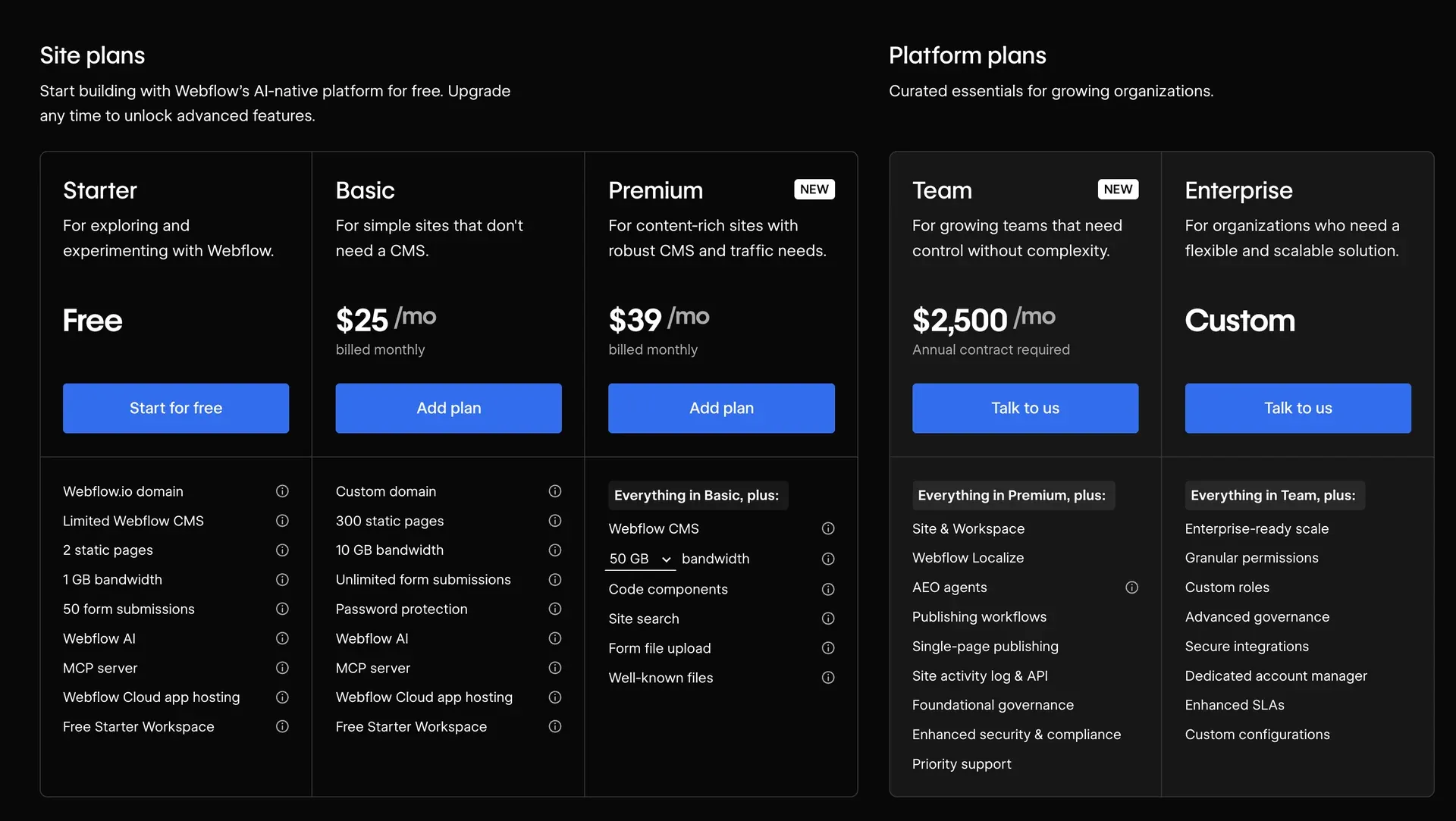
Two things this table deliberately doesn't show. Webflow site plans sit on top of a Workspace plan, and Wix Studio plans are assigned per site with the workspace itself carrying no documented cost. And neither column includes the build, which on any real project dwarfs the subscription. Our Wix Studio pricing article covers that side in detail.
The handover test
Here is the question worth deciding on, and it is not a design question. A year from now, who needs to change something on this site, and what does giving them that ability cost?
Call it the handover test. Count the people, then price the access.
How the two platforms answer it:
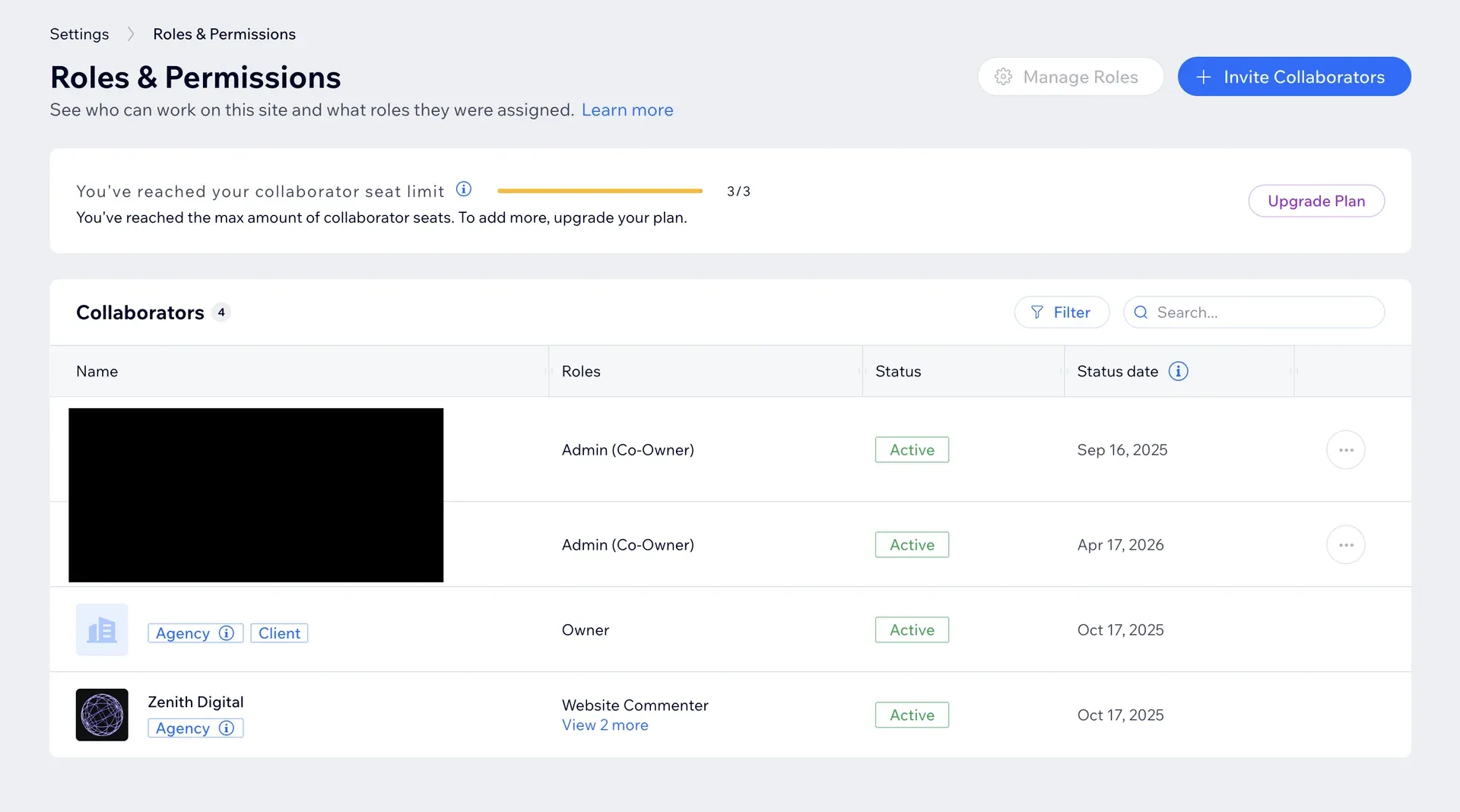
Wix Studio bundles editing into the site plan: Basic includes 3 site collaborators, Standard 5, Plus 10 and Elite 100. Adding the fourth person to a Standard site is a permissions setting, not a purchase.
Webflow attaches editing to seats and roles: Since August 2026, content editing happens in the Designer under a role assigned to a seat on your Workspace plan. It is more capable than the old Editor and it is a different cost model.
The gap widens with people, not with pages: One marketing manager who edits a blog post monthly is cheap on either platform. Five people across three departments, or one seat per client across a portfolio, is where the models diverge.
Check the role, not just the seat: Webflow content editors cannot change page slugs, add custom code, create CMS collections or edit form settings. Confirm the person you're handing to can actually do the things they'll need to.
Where Webflow is genuinely the better choice
We build on Wix Studio, so treat this section as the one where we have the most to lose by being honest. Three situations where we'd tell you to pick Webflow.
Choose Webflow when:
You need your code out: Webflow exports HTML, CSS, JavaScript and your Assets panel images on a paid Workspace plan. Wix Studio has no equivalent. If portability is a requirement rather than a preference, that settles it.
The front-end craft is the product: Highly custom interaction work, unusual layout systems, or a design team that lives in the Designer every day. Webflow rewards that investment in a way a more managed platform does not.
Your team is already fluent in it: A team that knows Webflow well will ship better work in Webflow than in a platform they're learning, and that is worth more than any feature comparison.
Where Wix Studio is the better choice
Choose Wix Studio when:
Several people need to edit the site: Collaborators come with the plan rather than as a separate allocation, so growing the number of people who can publish is a decision about trust rather than budget.
The business needs more than a website: Store, bookings, members, email and automations are native. On Webflow, several of those mean a third-party service, another subscription and another thing to maintain.
You're handing off to a non-technical owner: The gap between designing and editing is smaller, which matters most on the day the person who built it is no longer involved.
You want the ceiling higher than you'd expect: Complex functionality does not automatically mean leaving the platform, which is worth testing before assuming a custom budget.
On that last point, the Yacht Junky case study is a multi-seller marketplace with filtered search, seller notifications and enquiry routing, built natively on Wix Studio rather than as a custom development project. Worth a look if you're assuming a build like that forces you off a managed platform.
What can go wrong with this decision
The three mistakes we see most:
Comparing subscription against subscription: The plans differ by a few dollars a month. The build differs by thousands, and the cost of nobody being able to update the site is larger still.
Choosing on a comparison article without checking the date: Six of the eight pages ranking for this question quote Webflow plans that were discontinued in May 2026. Check any figure against the vendor's own pricing page before you budget from it.
Assuming you can change your mind cheaply: Neither platform imports a site built on the other, so switching later means a rebuild. Decide as though the choice is expensive to reverse, because it is.
Not sure which fits your situation?
Tell us who needs to edit the site, what it has to do, and what you're working with now. We'll tell you which platform we'd pick and why, including when the answer is not us.
The takeaway
Apply the handover test before the feature comparison. If one or two technical people own the site and portability matters, Webflow. If several non-technical people need to publish and the business needs more than a website, Wix Studio. The subscription difference is small enough to ignore either way. If you want that decision made against your actual situation, our Wix Studio website design service is where builds start, and if you're already on Webflow and leaning towards moving, the Webflow to Wix Studio migration guide covers exactly what carries across.
Marginally, at the plan level. Wix Studio Basic is US$12 a month against Webflow Basic at US$15 billed yearly, and Wix Studio Standard is US$20 against Webflow Premium at US$25. Those gaps are too small to decide on. The costs that actually differ are editing access, which Wix Studio bundles into the site plan as collaborators, and third-party services, since Wix Studio includes a store, bookings and members natively where Webflow often needs an add-on.
Webflow retired the legacy Editor on 4 August 2026. Content editing moved into the Designer, under roles like Content editor and Marketer that are assigned to seats. Existing Editor users were migrated to a free client seat or limited seat depending on their Workspace plan. The new model is more capable than the old Editor, but it changes how you hand a site to a client and what that access is tied to, which is why it belongs in this comparison.
For most marketing sites, no meaningfully. Both give breakpoint-level control, a real design system and a CMS. Webflow pulls ahead when the front-end craft is the product itself: unusual layout systems, heavy custom interaction work, or a design team working in it daily. If your site is pages that inform and convert, you will not hit the ceiling of either platform, and the decision should turn on something else.
No, and this is the clearest advantage Webflow holds. Webflow exports HTML, CSS, JavaScript and your Assets panel images on a paid Workspace plan, though the export excludes CMS content, Ecommerce, form processing and site search. Wix Studio has no code export at all. If being able to take the build elsewhere is a hard requirement rather than a nice idea, that decides it for Webflow.
Neither has a structural advantage worth choosing on. Both server-render, both give per-page metadata control, both generate sitemaps and both let you add structured data. Rankings come from content, structure and links rather than from the builder underneath. Anyone telling you one platform ranks better than the other, in either direction, is selling something.
Yes, as a rebuild rather than an import. Wix does not import sites built elsewhere, so the design gets recreated. Your content travels well: CMS collections, products, orders, form submissions and your entire 301 redirect list all export from Webflow as CSV and import into Wix. The one trap is that Webflow CMS image URLs point back at the original site and break if you delete it, so the media comes down before anything is cancelled.
It depends on the plan. Wix Studio Basic includes 3 site collaborators, Standard 5, Plus 10 and Elite 100. Collaborators are part of the site plan rather than a separate purchase, so adding someone is a permissions decision. That is the main structural difference from Webflow's current model, where editing access runs through roles assigned to seats on the Workspace plan.
Want this done on your own site?
We build and move websites on Wix Studio, and build custom when you outgrow it. Tell us what you're working with.
A free audit that actually tells you something
Drop your site in and we'll review it by hand, then send a short video walkthrough of the highest-impact fixes. No auto-generated PDF, no obligation.
Someone opens your site and records what they find. No automated score, no templated PDF with your logo dropped into it.
Conversion leaks, search and AI visibility, speed, design and trust, copy and positioning, and the order we would fix them in.
You get the walkthrough whether or not we ever work together. No pitch, no obligation, and it lands within 2 business days.
Sample site audit
62/100
18 issues foundPerformance score
Top findings
- Largest Contentful Paint over 4s
- Missing meta descriptions on 9 pages
- No structured data for search
Keep reading
More on the same thing, or the next thing worth knowing.
How much does a Wix Studio website cost?
Wix Studio plans run from US$12 to US$149 a month, and a professionally built site starts at €1,250. The plan is the small, predictable part. Here is what actually decides the number.
Read the post
Wix vs Wix Studio: what's different, and which one you need
Wix Studio is not a premium tier of Wix. It is a separate product with its own editor and its own plans, built for agencies and professionals. Which one your site sits on decides who can edit it and what it can grow into.
Read the post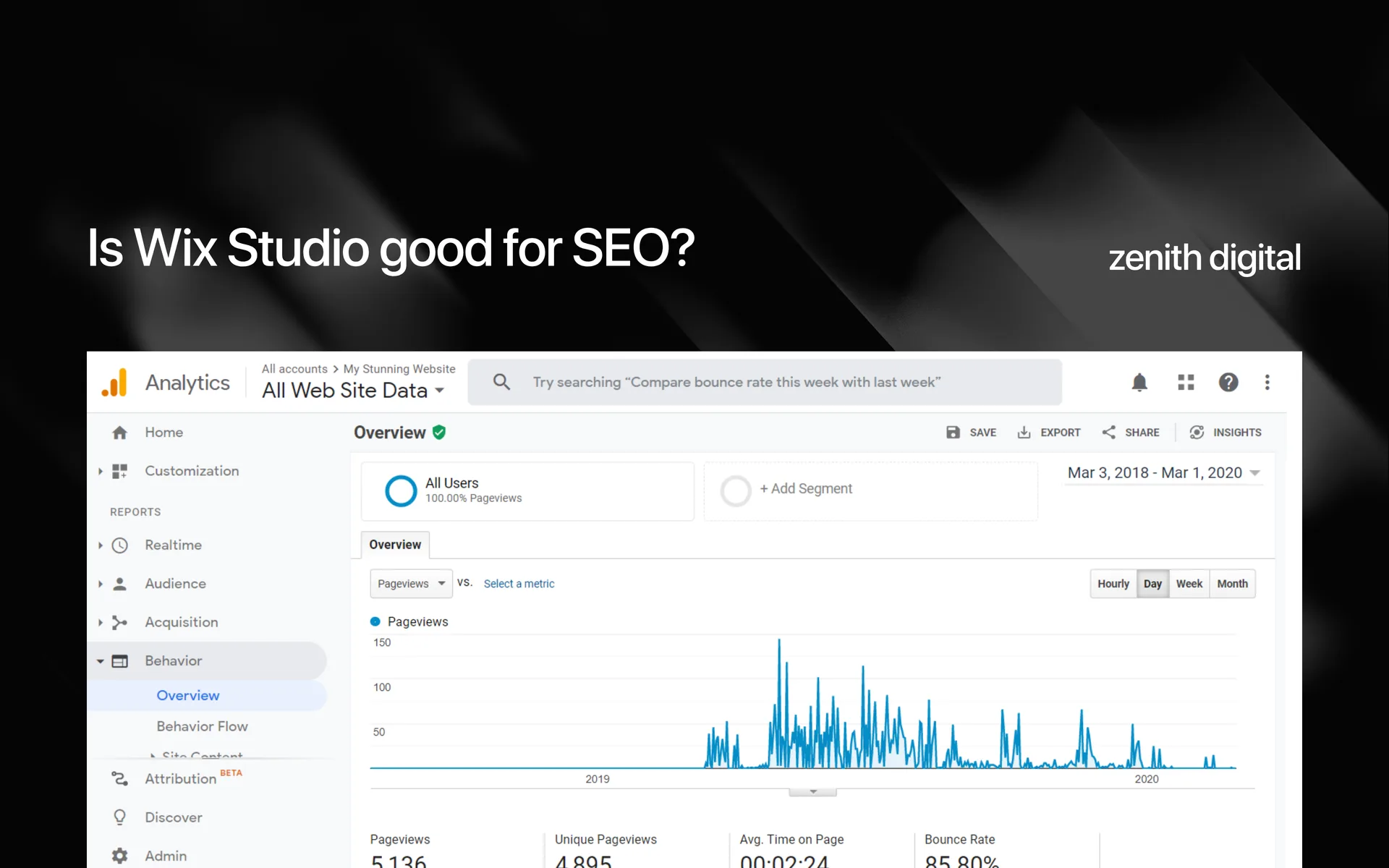
Is Wix Studio good for SEO?
Yes, and the platform stopped being the interesting part of that answer years ago. What decides whether a Wix Studio site ranks is its structure, its content and its proof, and those are yours to get right or wrong.
Read the postSources
Primary documentation behind the claims above, so you can check them rather than take our word for it.
Webflow: Legacy Editor deprecation FAQ
The 4 August 2026 retirement of the legacy Editor, the seat and role model that replaced it, and how existing Editor users were migrated.
Webflow: Updated pricing and simplified plans for May 2026
The 13 May 2026 restructure merging the CMS and Business plans into Premium, and the Basic increase.
Webflow: pricing
Current Webflow site, Workspace and Ecommerce plan prices, read from the live page on 20 August 2026.
Webflow: Edit site content as a content editor
What the Content editor role can and cannot do, including page slugs, custom code, CMS settings and form settings.
Webflow: How do I export my Webflow site code?
Code export is a paid Workspace plan feature, and what the export excludes.
Wix Studio: plans and pricing
Current Wix Studio plan prices, CMS item quotas and site collaborator counts, read from the live page on 20 August 2026.
Wix Studio: choosing a Studio plan
Building on Wix Studio is free, plans are assigned per site, and Basic sites cannot accept payments.